
Keep the take. Keep the feeling.
Linear tracks, pre-count, punch-in/out and a clear take list. Familiar recording tools without losing sight of the song.
Introducing ATUM Studio · For macOS
Analogue Soul / Digital Precision
A focused, analogue-inspired recording studio.
Out of the way of the performance.
The idea is simple
A great take doesn't wait for a menu. A new idea doesn't need another window. Sometimes, you just want to press record.
ATUM Studio brings the focus back to musicians and mix engineers: a familiar console, a clear timeline, and a linear way of working inspired by the recording studios of the ’80s and ’90s.
Less between the idea and the recording.
More room for the performance.
Familiar feel. Thoughtful detail.
Built around the recording journey, from the first idea to the final balance.
Explore EQ, tape & effects ↗
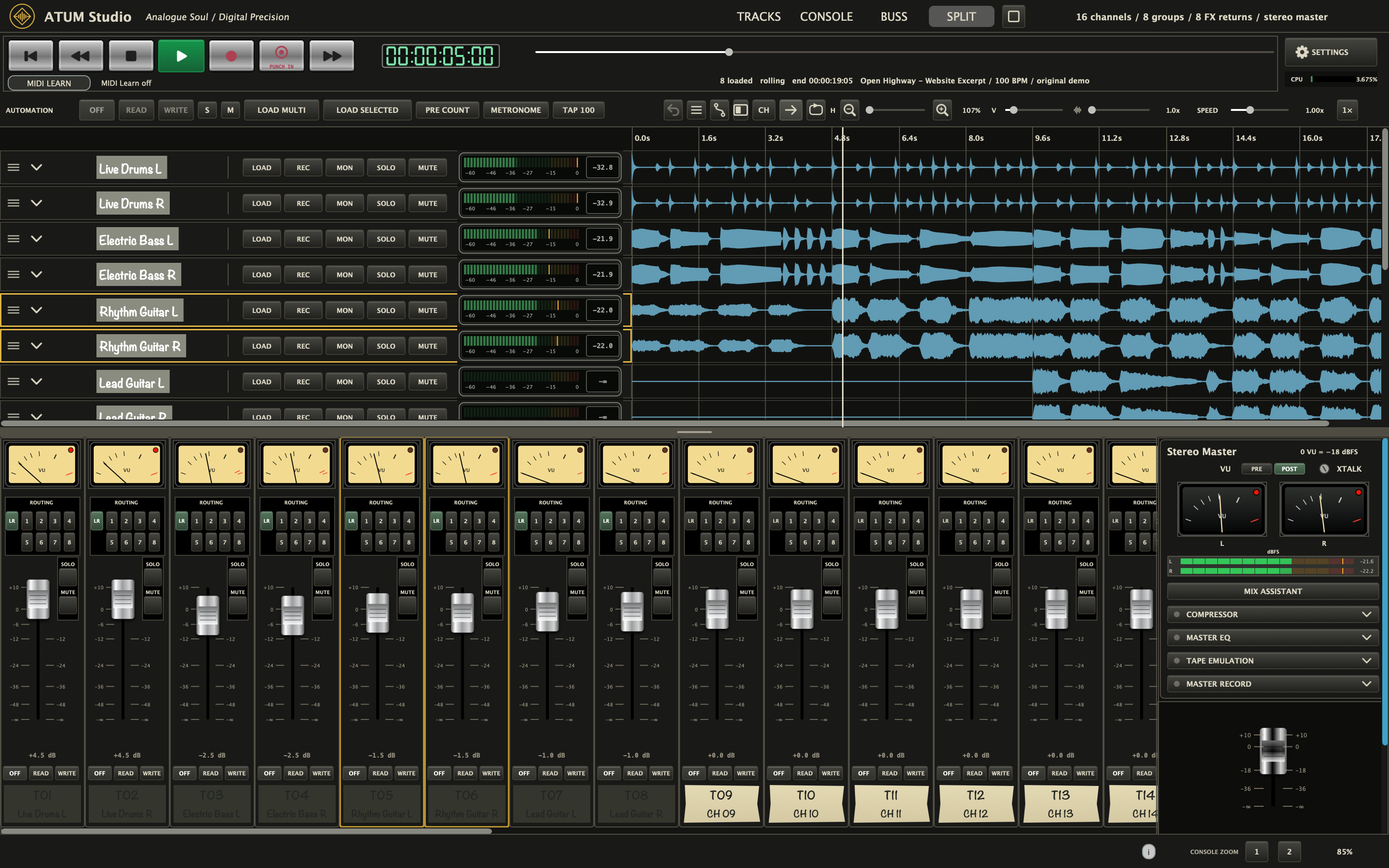
Linear tracks, pre-count, punch-in/out and a clear take list. Familiar recording tools without losing sight of the song.
Analogue-modelled processing with adjustable neighbouring-channel crosstalk. Add interaction between channels, or keep the added crosstalk at zero.
Low-latency recording options and straightforward monitoring controls. Actual latency depends on your interface, buffer size and processing.
Inside ATUM Studio
19-second excerpt · Split, Console and Tracks · Sound on · Hear the full 38-second mix ↗
MIX ASSISTANT / Your ears. Your decisions.
Spend less time wondering where to start. Mix Assistant analyses your tracks locally and suggests a practical starting point, from channel levels and EQ to buses, effects returns and the stereo master.
Stop playback and analyse the loaded tracks. Measurement-based recommendations are generated on your Mac. Your audio stays with you.
See the reasons and current-to-suggested settings. Choose the tracks and categories you want to change. Analysis alone never changes the mix.
Apply selected recommendations, then audition the result. Undo or restore the assistant’s changes, or keep the balance and make it your own.
Levels, pan, filters/EQ, compression, sends, FX returns, routing and master settings. Optional gentle volume rides on eligible tracks; existing automation is protected. A measurement-based assistant, not a trained AI model or a substitute for listening.
Inside the signal path
Hands-on tone, dynamics and character, from the individual strip to the final stereo mix. Explore the actual ATUM Studio processor panels.
Stereo master / Dynamics
Bring the balance together with controllable compression, while keeping input drive and output gain separate.
Stereo master / Tone
Refine the overall balance with dedicated low, mid and high bands, positioned after the master compressor.
Stereo master / Character
Explore tape colour with selectable speed, formulation and electronics, plus independent input and output levels.
From mix to print. Stereo master VU/LED monitoring, adjustable neighbouring-channel crosstalk and a dedicated Master Record section for WAV or AIFF mixdowns.
The return rack
Echo, space, movement and pitch: choose a processor to see its actual editor and controls. Eight FX return strips let you build a send-effects setup around the song.
Pitch / Delay / Modulation
Two pitch-and-delay engines, with filters, modulation and cross-feedback. Start with one of 72 original ATUM programs, then shape it to the song.
Free includes Space Echo, Vintage Reverb, Analogue Chorus and Spring Reverb. Full unlocks all nine effects.
On the channels
Add weight, clear the mids or open up the top end. Dedicated channel EQ keeps tone shaping close to the performance.
Control spill between hits with the gate, then shape the level with compression. Both sections have their own IN switch and reduction display.
Bring the mix together
Eight stereo group buses and eight dedicated effects returns. A familiar console layout for balancing instruments together and giving the song its space.
01 / Stereo groups
Bring drums, guitars or backing vocals onto a group. Shape the section together, then ride its level without losing the balance between its tracks.
02 / Effects returns
Feed a return from the channel sends, choose an effect and blend it back into the mix. Share a reverb across the band or give a single part its own delay.
Find your studio
A focused studio for getting your ideas down and making them into music.
Optional tip. Choose your amount. Help support independent audio development.
Your studio, unlocked. A permanent one-time price, with no subscription.
Also from ATUM
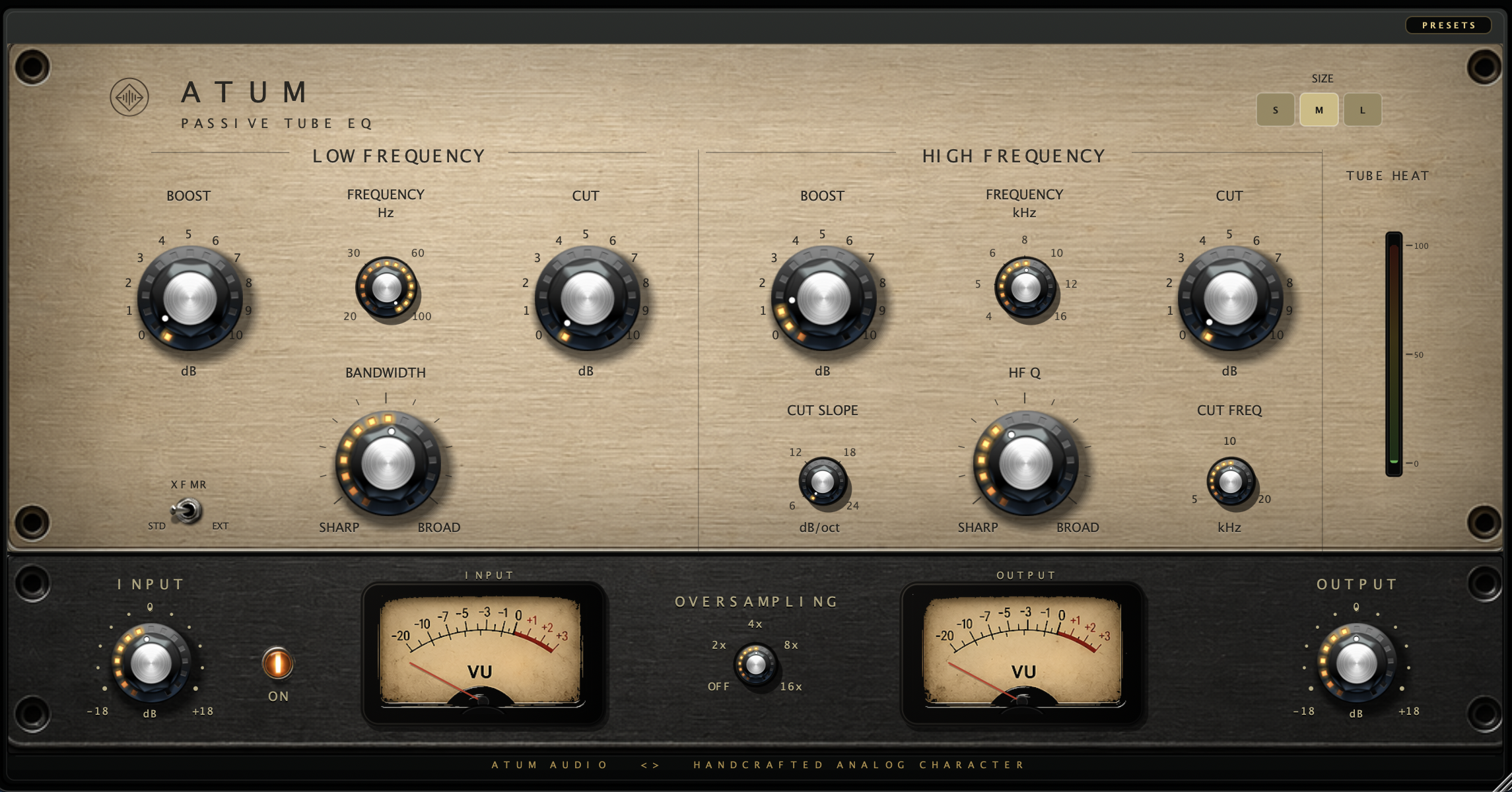
Weight, air and character. Passive EQ shaping for your mix.
Explore plugin ↗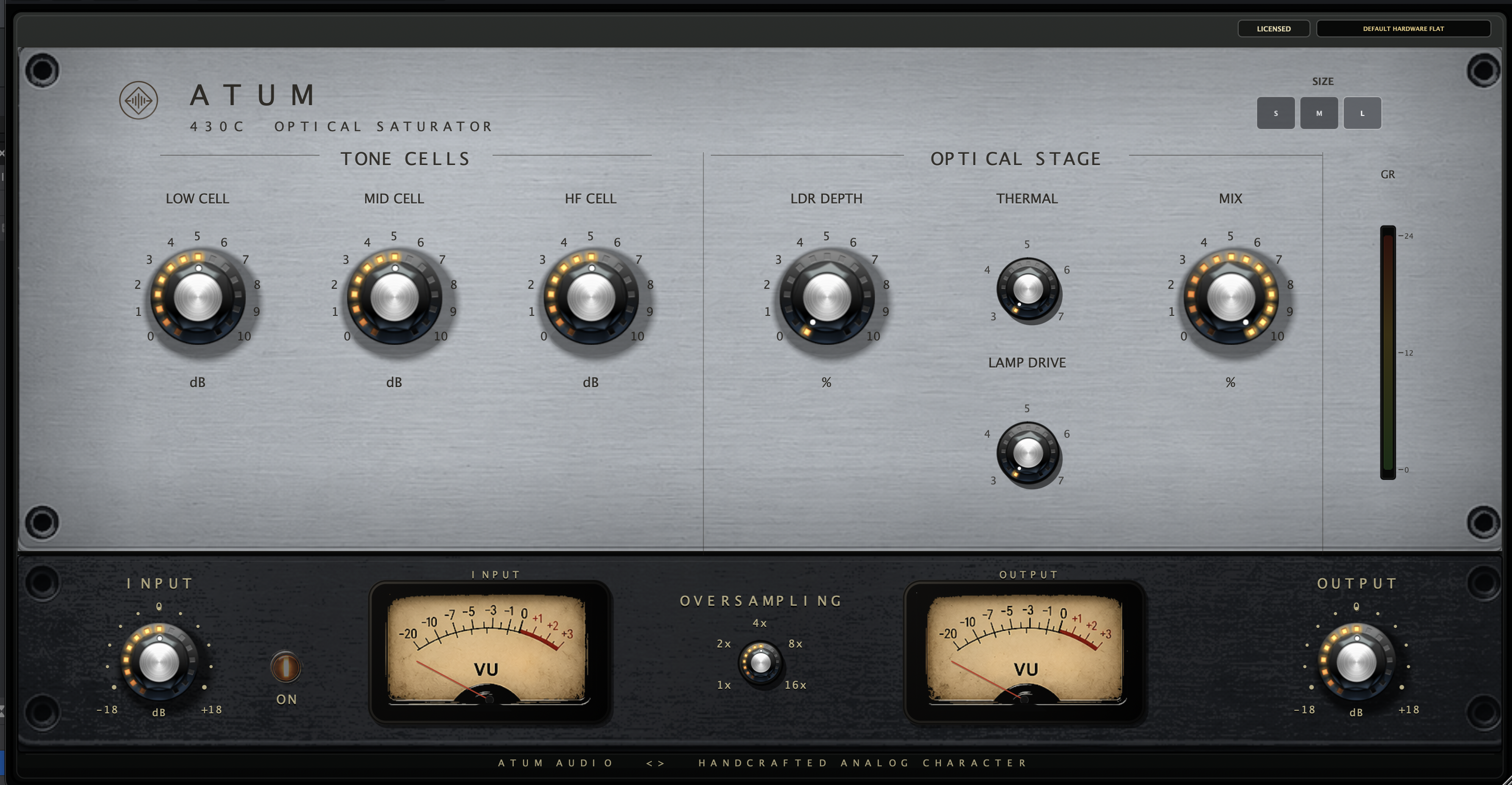
Opto-inspired movement, saturation and tone shaping.
Explore plugin ↗
A free input and output rack for gain staging and colour.
Explore plugin ↗Less setup. More music. That’s ATUM Studio.